
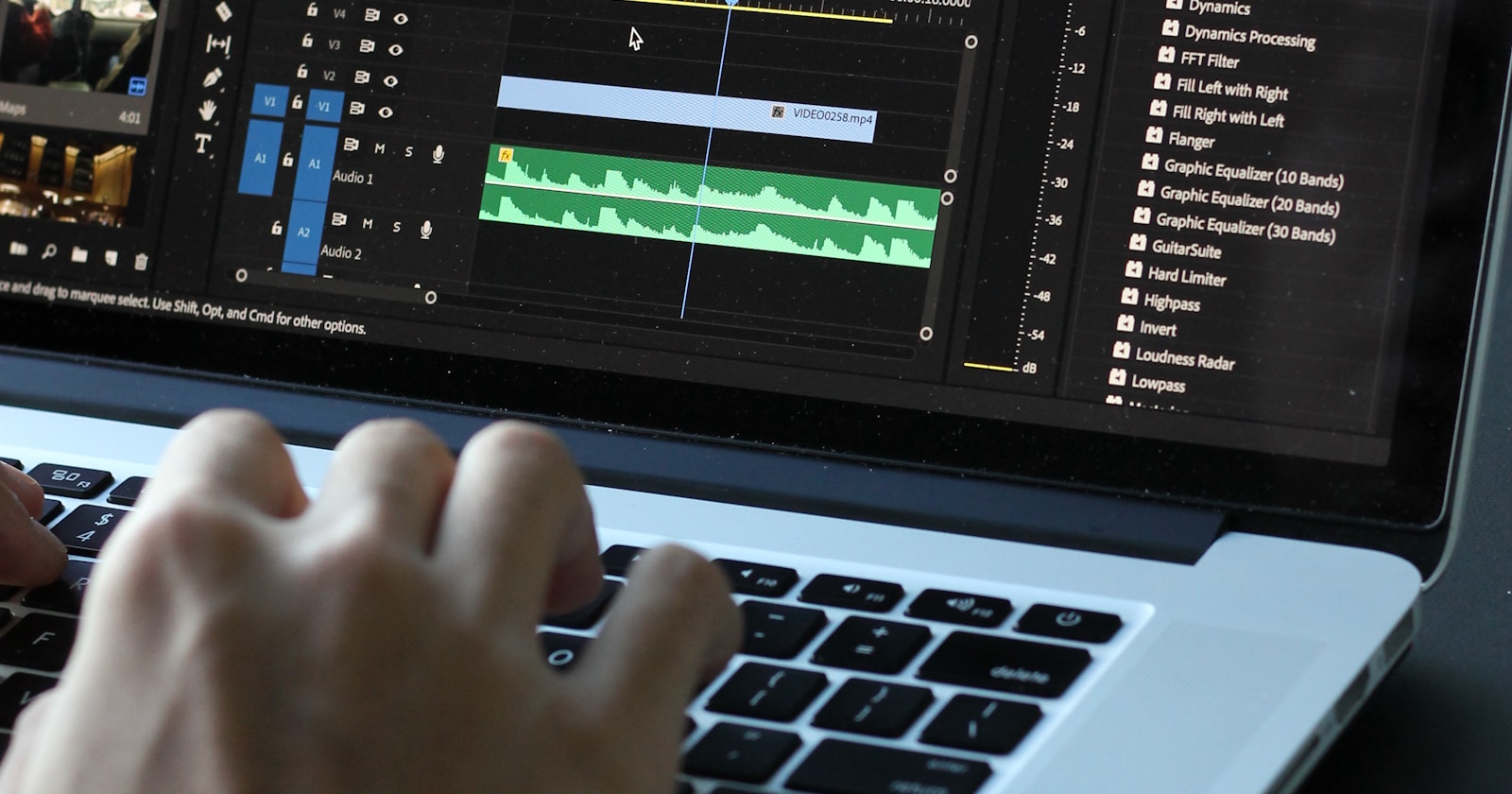
Video content represents one of the fastest-growing segments of organic search, with video results appearing for an estimated 26% of Google search queries in 2026. While YouTube remains the dominant video platform and the primary source of Google video results, businesses that optimize video content hosted on their own websites can capture valuable positions in Google’s video carousel, video rich results, and universal search listings. Video SEO beyond YouTube encompasses the technical optimi Learn more. Learn more. Learn more.zation, structured data implementation, and content strategy required to make your website’s video content visible in Google’s standard web search results — a distinct discipline from YouTube channel optimization that offers complementary visibilit Read more. Read more.y and traffic opportunities for US businesses.
At Digimau, we help US businesses develop comprehensive video SEO strategies that maximize visibility across both YouTube and their owned websites. This guide focuses specifically on the technical and strategic requirements for ranking video content on Google’s web search results, complementing our YouTube optimization work with website-based video visibility.
—Table of Contents
- The Video Search Landscape in 2026
- Video Hosting: Self-Hosting vs. Platforms
- Video Schema Markup Implementation
- Video Sitemap Optimization
- Video Thumbnail Optimization for Google
- Video Transcripts and Accessibility
- Optimizing Video Pages for SEO
- Winning Video Rich Results
- Video SEO for E-Commerce
- Frequently Asked Questions
The Video Search Landscape in 2026
Google’s integration of video into standard search results has evolved significantly. Video results now appear in multiple formats across Google’s search pages: video carousels (showing 3+ video thumbnails with titles), video rich results (expanded video listings with play buttons), featured video snippets, Google Discover video cards, and Google Images video results.
For US businesses, video SEO represents a significant opportunity because video rich results have higher click-through rates than standard text results. Studies show that video results in Google search receive 20-40% higher CTR than equivalent text results. This CTR advantage translates directly into more traffic, more leads, and more conversions for businesses that invest in video content optimization.
Google’s video indexing capabilities have also expanded. Googlebot can now index video content from virtually any website using embedded video players, not just YouTube videos. This means businesses hosting videos on their own websites using platforms like Vimeo, Wistia ($89/month), Brightcove (custom pricing), or self-hosted HTML5 video can appear in Google video results alongside YouTube content.
Video Hosting: Self-Hosting vs. Platforms
The choice of video hosting platform significantly impacts your video SEO potential:
| Hosting Option | Price | SEO Advantages | Best For |
|---|---|---|---|
| YouTube | Free | Built-in audience, Google integration, suggested videos | Maximum reach and discoverability |
| Wistia | $89/month | SEO-friendly embeds, analytics, lead capture | B2B marketing with lead generation |
| Vimeo | $7-$50/month | Professional quality, privacy controls | Portfolio and branded content |
| Brightcove | Custom pricing | Enterprise CDN, monetization | Enterprise media organizations |
| Self-Hosted | Server cost only | Full control, no platform restrictions | Technical teams with CDN infrastructure |
For Google search visibility specifically, YouTube videos dominate video results but are not the only option. Wistia and Vimeo-hosted videos can appear in Google video results when properly optimized with structured data and video sitemaps. Self-hosted videos with proper schema markup and video sitemaps are also eligible for video rich results.
The best approach for many US businesses is a dual strategy: host primary videos on YouTube for maximum reach and embed those videos on your website pages with supporting text content, structured data, and internal links. This approach captures visibility in both YouTube search and Google web search while driving traffic to your website.
Video Schema Markup Implementation
Video structured data is the single most important technical requirement for video visibility in Google search results. Without video schema markup, Google may not discover your video content or understand its context well enough to display it as a video rich result.
Required VideoObject schema properties: name (the video title), description (a brief description of the video content), thumbnailUrl (the URL of the video thumbnail image), uploadDate (when the video was first published), duration (the video length in ISO 8601 format), and contentUrl (the direct URL to the video file) or embedUrl (the URL of the player page where the video can be viewed).
Recommended additional properties: expires (if the video has a limited availability window), hasPart (for video chapters using Clip schema), interactionStatistic (for video view counts), publication (the broadcaster or publication where the video appeared), and regionsAllowed (countries where the video can be viewed).
Implementation example: The VideoObject schema should be added as JSON-LD in the head of every page that contains a video. For pages with multiple videos, include a separate VideoObject for each video. Ensure thumbnail URLs point to high-quality images that Google can access (not blocked by robots.txt or authentication).
Video Sitemap Optimization
Video sitemaps provide Google with additional information about the video content on your website:
Video sitemap requirements: Include each video URL as a separate entry, provide the video title, description, thumbnail URL, video file URL or player URL, and publication date for each entry. Follow standard XML sitemap protocols with namespace declarations for video-specific tags. Limit video sitemaps to 50,000 entries per file and use sitemap index files for larger collections.
Video sitemaps are particularly valuable for videos hosted using JavaScript-based players that Google might not discover during regular crawling. The sitemap provides a direct path to the video content and its metadata, ensuring that Google indexes all your videos regardless of how the player is implemented on the page.
Video Thumbnail Optimization for Google
Video thumbnails are critical for click-through rates in Google’s video results. The thumbnail is the first visual element users see and often determines whether they click on your video result or a competitor’s.
Thumbnail best practices for Google: Use high-resolution images (minimum 1200px wide for video rich results), include a clear subject or face that communicates the video’s content, use contrasting colors and text overlays that are readable at small sizes, avoid misleading thumbnails that do not represent the video content (Google may penalize clickbait thumbnails), test thumbnails against competitors in your niche to ensure yours stands out, and use different thumbnails for Google versus YouTube if needed to optimize for each platform’s display format.
Video Transcripts and Accessibility
Video transcripts serve dual purposes: improving accessibility for hearing-impaired users and providing indexable text content that helps Google understand your video content.
Transcript SEO benefits: Adding a full transcript below the video on your page provides Google with text content to index, which improves the page’s relevance for keyword searches related to the video content. Transcripts can also capture long-tail keyword traffic from questions and phrases mentioned in the video that would not otherwise appear in the page’s text content.
Implementation options: Manual transcription provides the highest accuracy but is time-consuming. AI transcription services like Descript ($24/month), Rev ($0.25/minute), or Otter.ai ($17/month) provide fast, reasonably accurate transcriptions at scale. YouTube’s automatic captions (free) offer basic transcription for YouTube-hosted videos. For US businesses, ADA compliance requires video captions for public-facing content in many contexts.
Optimizing Video Pages for SEO
A video page that contains only an embedded video player and minimal text content will struggle to rank. The page surrounding the video is equally important for SEO:
Surrounding content strategy: Write at least 500-1,000 words of supporting text that provides context for the video content. Include relevant keywords naturally in headings and body text. Add internal links to related content on your site. Include a FAQ section that captures People Also Ask queries related to the video topic. Provide a clear title and meta description that includes relevant keywords.
Page experience optimization: Ensure fast page load times even with embedded video (use lazy loading for video players), optimize Core Web Vitals for the video page, ensure mobile-friendly layout with responsive video player, and implement structured data for both the page (Article or WebPage schema) and the video (VideoObject schema).
At Digimau, we optimize video pages as comprehensive content experiences that serve both search engines and users, combining video content with supporting text, structured data, and optimized page experience.
Winning Video Rich Results
Video rich results — the expanded video listings with thumbnails, titles, and duration that appear in Google search — require specific optimization beyond basic video SEO:
Requirements for video rich results: Valid VideoObject schema markup with all required properties, accessible thumbnail images meeting Google’s size requirements, video content that can be played directly from the search results page (for eligible formats), and the page must not require login or paywall to access the video content.
Optimization for the video carousel: Google’s video carousel typically shows 3-4 videos for relevant queries. To win a carousel position, ensure your video is optimized for the specific query intent, your thumbnail stands out among competitors, your video title is compelling and descriptive, and your page provides supporting content that reinforces the video’s relevance.
Video SEO for E-Commerce
E-commerce businesses have unique video SEO opportunities. Product videos, how-to demonstrations, comparison videos, and customer testimonials can all appear in Google video results for product-related searches.
E-commerce video SEO strategies: Create product demonstration videos for your highest-volume products, optimize product pages with VideoObject schema for each product video, embed review and testimonial videos on product pages, create how-to and tutorial videos for product categories, and use video content in Google Shopping campaigns for enhanced product visibility.
Video Content Strategy for SEO
A successful video SEO strategy requires planning content that aligns with search demand. Start by identifying topics where video results already appear in Google search for your target keywords. Use Google search to check if video carousels appear for your priority keywords. If they do, video content is essential for competing. Create video content that answers specific questions, demonstrates products or processes, provides tutorials and how-to guides, or presents data and research findings. The most effective video content for SEO is between 3-10 minutes long, includes a clear introduction that states the video topic, and is supported by comprehensive text content on the same page. Digimau develops video content strategies for US businesses that maximize Google search visibility.
Video SEO Metrics and Performance Tracking
Track video SEO performance using both Google-specific and general engagement metrics. Google Search Console provides impression and click data for video rich results, showing which videos appear in search results and their CTR. Track video engagement metrics including view count, average view duration, and completion rate using your video hosting platform analytics. Monitor organic traffic to video pages, not just video plays. Track keyword rankings for video-specific queries. For YouTube videos, use YouTube Analytics for detailed viewer behavior data. For website-hosted videos, use event tracking in GA4 to measure video plays, pauses, and completion rates. The most valuable metric is organic traffic to the video page, not the video play count, because page traffic captures the full SEO value.
Video SEO for B2B Companies
B2B companies in the US can leverage video SEO to build thought leadership and generate qualified leads. Product demonstration videos optimized for branded search terms capture prospects actively evaluating your solution. Thought leadership interview videos with industry experts build authority and attract links from industry publications. Webinar recordings optimized for long-tail keyword queries generate organic traffic for months after the live event. Customer testimonial videos on product pages improve conversion rates and appear in video results for product comparison queries. For B2B companies using Wistia, the platform Turnstile feature converts video viewers into leads by adding email gates and CTAs within the video player, providing measurable ROI from video SEO investment.
Video SEO for Educational and Training Content
US educational institutions, online course providers, and training companies benefit significantly from video SEO because educational queries have high video intent. Tutorial videos, course previews, lecture recordings, and how-to demonstrations rank well for educational keywords. Implement Learn entity structured data alongside VideoObject schema to provide Google with additional context about your educational content. Create comprehensive course pages that embed multiple videos with supporting text content, transcripts, and internal links between related course videos. Educational video content tends to have long content lifecycles, providing sustainable organic traffic for years after publication.
Video SEO for Healthcare and Medical Content
US healthcare organizations produce video content including patient education, procedure explanations, physician introductions, and wellness tips. Medical video SEO requires attention to E-E-A-T signals including physician credentials, medical board certifications, and institutional affiliations. Implement MedicalCondition and MedicalProcedure schema alongside VideoObject schema for health-related videos. Ensure all medical video content is reviewed for accuracy by qualified medical professionals before publication. HIPAA compliance requires that no patient information appears in videos without explicit written consent. Healthcare video content ranks well for condition-specific and treatment-related queries, often appearing in Google Health panels alongside traditional search results. Hospital and clinic Google Business Profiles benefit from embedded video content that increases profile engagement.
Google Video Search Features and Optimization
Google offers several video-specific search features that provide additional visibility opportunities. Video rich results with thumbnails appear in standard search results for video-relevant queries. Google Discover video cards surface recommended video content in the Discover feed. Google Images video results show video thumbnails alongside image results. Google video carousel displays multiple video results for entertainment and tutorial queries. The Knowledge Panel can feature videos for branded searches about companies, products, or people. To appear in all these features, your video content needs comprehensive structured data including VideoObject, Clip (for video chapters), and SeekToAction (for video moments) schema. Ensure your video pages are mobile-friendly because Google surfaces most video features to mobile searchers.
Video SEO for Real Estate and Property Listings
Real estate is among the most video-intensive industries for local search in the US. Property tour videos, neighborhood walkthroughs, and agent introduction videos appear prominently in local search results for real estate queries. Optimize property videos with location-specific titles and descriptions, implement VideoObject schema on property listing pages, include neighborhood name and zip code in video metadata, and create neighborhood guide videos that capture local search traffic. Real estate video SEO benefits from Google Business Profile video uploads, which appear in local search results and Google Maps listings. For US real estate companies, video content increases listing inquiry rates by 40-60% compared to listings without video, making video SEO investment directly measurable in lead generation metrics.
Optimizing Video Page Speed and Core Web Vitals
Video content significantly impacts page load performance and Core Web Vitals scores. Large video files increase Largest Contentful Paint (LCP) and Cumulative Layout Shift (CLS) when not properly optimized. Implement lazy loading for video players to prevent them from loading until the user scrolls near them. Use responsive video embeds that adapt to different screen sizes without causing layout shifts. Host video thumbnails separately from video files to ensure fast thumbnail loading while keeping video files on a CDN. Set explicit width and height attributes on video elements to prevent CLS. For website-hosted videos, use adaptive bitrate streaming (HLS or DASH) to deliver appropriate quality based on the user connection speed. Test your video pages with Google PageSpeed Insights and target a LCP under 2.5 seconds for both mobile and desktop. Compress video files using modern codecs like H.265 (HEVC) or VP9 which provide 30-50% better compression than H.264 while maintaining visual quality.
Video SEO Analytics and Attribution
Measuring the true impact of video SEO requires looking beyond basic view counts. Track assisted conversions where video page visits contribute to later conversions through remarketing or return visits. Implement event tracking in GA4 for video plays, pauses, completions, and engagement milestones. Monitor organic traffic growth to video pages over time, comparing against non-video content to quantify the video SEO advantage. For websites with both YouTube and self-hosted videos, compare the organic traffic generated by each to determine which hosting approach delivers better search visibility for your specific content types. Digimau provides comprehensive video SEO analytics that measure the full impact of video content on organic search performance.
Frequently Asked Questions
How do I rank videos on Google?
Implement VideoObject schema markup, create video sitemaps, use high-quality thumbnails, optimize surrounding page content with relevant keywords, embed transcripts for indexable text, ensure fast page loads, and build backlinks to video pages. Consistency in video publishing and topical focus also improve rankings.
What is video schema markup?
VideoObject structured data tells Google about video content on your pages. Required properties include name, description, thumbnailUrl, uploadDate, duration, and contentUrl or embedUrl. Implement as JSON-LD in the page head. Without schema, videos may not appear as rich results.
How do I create a video sitemap?
Use XML format with video-specific namespace. Include URL loc, video title, description, thumbnail URL, video file/player URL, and publication date. Follow standard sitemap protocol. Limit to 50,000 entries per file. Submit through Google Search Console.
What is the difference between video SEO and YouTube SEO?
YouTube SEO optimizes for YouTube’s internal search and recommendation algorithm. Video SEO optimizes for Google’s web search results, focusing on VideoObject schema, video sitemaps, page content, and website authority. They are complementary but distinct disciplines.
How do I optimize video thumbnails for Google?
Use minimum 1200px wide images with clear subjects, contrasting colors, and readable text overlays. Avoid clickbait. Test against competitors. Use different thumbnails for Google vs YouTube if needed. Ensure thumbnails are accessible and not blocked by robots.txt.
Where should I host videos for SEO?
YouTube maximizes reach with built-in Google integration. Wistia ($89/month) is best for B2B with lead capture. Vimeo ($7-50/month) suits portfolio content. Self-hosting offers full control. Many businesses use YouTube for hosting and embed on their website for dual visibility.
How do video transcripts help SEO?
Transcripts provide indexable text content that helps Google understand video content, capture long-tail keywords mentioned in the video, and improve page relevance. They also improve accessibility per ADA requirements. AI transcription tools like Descript or Rev can generate transcripts cost-effectively.
What is the Google video carousel?
The video carousel shows 3-4 video results with thumbnails in a horizontal strip in Google search. It appears for queries where video results are relevant. Winning a carousel position requires optimized VideoObject schema, compelling thumbnails, and content relevance for the search query.
How do I optimize video pages for e-commerce?
Create product demonstration and tutorial videos, implement VideoObject schema on product pages, embed review videos, use video in Google Shopping campaigns, and add supporting text content around product videos to improve page relevance.
What video structured data does Google require?
Required VideoObject properties: name, description, thumbnailUrl, uploadDate, duration, contentUrl or embedUrl. Recommended: expires, hasPart (chapters), interactionStatistic (views), publication. Implement as JSON-LD for best results.
