
Table of Contents
- What Is a Headless CMS?
- Headless CMS vs. Traditional CMS
- When to Choose a Headless CMS
- Headless CMS Platforms Comparison
- Headless CMS Architecture
- Content Modeling Best Practices
- Headless CMS and Frontend Frameworks
- Headless CMS for E-Commerce
- Headless CMS for Marketing Teams
- Headless CMS and SEO
- Migrating to a Headless CMS
- Security and Performance
- Headless CMS Costs
- Development Workflow
- Headless CMS Trends in 2026
- Frequently Asked Questions
What Is a Headless CMS?
A headless CMS is a content management system that provides only the backend component for creating, storing, and managing content, delivering it through APIs (typically REST and GraphQL) without any built-in frontend presentation layer. The “head” refers to the frontend (the part users see), and “headless” means this layer is removed, allowing developers to build custom frontends using any technology. In a traditional CMS like WordPress or Drupal, the content management backend and the frontend presentation are tightly coupled. Themes and templates control how content is displayed, and changing the frontend often means working within the constraints of the CMS. In a headless CMS, content is stored as structured data and retrieved via APIs, giving developers complete freedom to build any frontend experience. This architecture enables what is often called “create once, publish everywhere” — content created in a headless CMS can be delivered to a website, a mobile app, a smartwatch interface, a digital kiosk, an email, or any other digital touchpoint, all from the same content repository.Headless CMS vs. Traditional CMS
Understanding the trade-offs between headless and traditional CMS helps you make the right choice for your project.| Feature | Headless CMS | Traditional CMS (WordPress, Drupal) |
|---|---|---|
| Frontend Flexibility | Any framework (React, Vue, etc.) | Limited to CMS themes/templates |
| Multi-Channel Delivery | Native support via APIs | Limited, requires plugins |
| Performance | Excellent (SSG/SSR with modern frameworks) | Moderate (server-rendered, plugin overhead) |
| Developer Experience | API-first, modern tooling | PHP-based, plugin ecosystem |
| Editor Experience | Improving (visual editors available) | Mature (WYSIWYG, visual editing) |
| Setup Speed | Slower (requires frontend development) | Faster (themes, page builders) |
| Cost | Higher initial (custom frontend) | Lower initial (themes, templates) |
| Scalability | Excellent (CDN-delivered, API-scaled) | Moderate (server-dependent) |
| Security | Smaller attack surface (no frontend) | Larger attack surface (plugins, themes) |
| Plugin Ecosystem | Growing but smaller | Massive (60,000+ WordPress plugins) |
When to Choose a Headless CMS
A headless CMS is the right choice when certain conditions align with your business needs.Multi-Channel Publishing
If you need to deliver content across multiple channels (website, mobile app, email, digital displays, social media), a headless CMS provides a single content source that feeds all channels through APIs. This eliminates content duplication and ensures consistency across touchpoints.Custom Frontend Requirements
When your design requires custom interactions, animations, or user experiences that go beyond what traditional CMS themes can deliver, a headless CMS paired with a modern frontend framework (React, Vue, Svelte) gives you complete creative freedom.High Performance Needs
If your site needs to load extremely fast (sub-1-second page loads), headless CMS combined with static site generation (SSG) or server-side rendering (SSR) through frameworks like Next.js or Astro can deliver performance that traditional CMS platforms struggle to match.Developer Team Available
Headless CMS requires frontend development expertise. If you have a team experienced with modern JavaScript frameworks, headless CMS maximizes their productivity. Without this expertise, the development cost and timeline increase significantly.Omnichannel Strategy
If your business strategy involves delivering content through emerging channels (voice assistants, AR/VR, IoT devices), a headless CMS provides the API-first architecture needed to support these channels without rebuilding your content infrastructure.Headless CMS Platforms Comparison
The headless CMS market has matured significantly, with platforms serving different needs and budgets.| Platform | Type | Starting Price | Best For | Key Strength |
|---|---|---|---|---|
| Contentful | SaaS | $300/month | Enterprise | Most mature API-first CMS |
| Strapi | Open-source | Free (self-hosted) | Developers | Self-hosted, fully customizable |
| Sanity | SaaS/OSS | $99/month | Content-rich apps | Real-time collaborative editing |
| ButterCMS | SaaS | $49/month | Startups, SMBs | Simple API, easy integration |
| Contentstack | SaaS | $250/month | Enterprise | Headless experience platform |
| Storyblok | SaaS | $39/month | Marketing teams | Visual editing for any framework |
| Directus | Open-source | Free (self-hosted) | Internal tools, databases | SQL database wrapper |
| Ghost | Open-source/SaaS | $9/month | Publishing, blogging | Built-in publishing features |
| Hygraph | SaaS | $149/month | E-commerce, content | GraphQL-native, federated content |
Contentful
Contentful is the most established headless CMS platform, serving enterprise clients including Netflix, Equinox, and Shiseido. It offers a mature API (REST and GraphQL), extensive documentation, robust localization support, a growing marketplace of apps and integrations, and enterprise-grade security and compliance. Contentful is best for large organizations with complex content needs and dedicated development teams.Strapi
Strapi is the leading open-source headless CMS, giving you full control over your content infrastructure. Key advantages include complete data ownership (self-hosted), fully customizable API, no vendor lock-in, a growing plugin ecosystem, and a developer-friendly admin panel. Strapi is ideal for teams that want control over their infrastructure and have the DevOps capability to manage self-hosted solutions.Sanity
Sanity stands out with its real-time collaborative editing, structured content approach, and powerful query language (GROQ). It offers a generous free tier, real-time content previews, an excellent developer experience with Sanity Studio, and portable content (JSON-based, easy to migrate). Sanity is popular among content-heavy applications and media companies.Storyblok
Storyblok bridges the gap between developer flexibility and editor friendliness with its visual editor that works with any frontend framework. Editors see a live preview of content as they edit it, regardless of the underlying technology. This makes Storyblok particularly appealing for marketing teams who want headless benefits without sacrificing the editing experience.Headless CMS Architecture
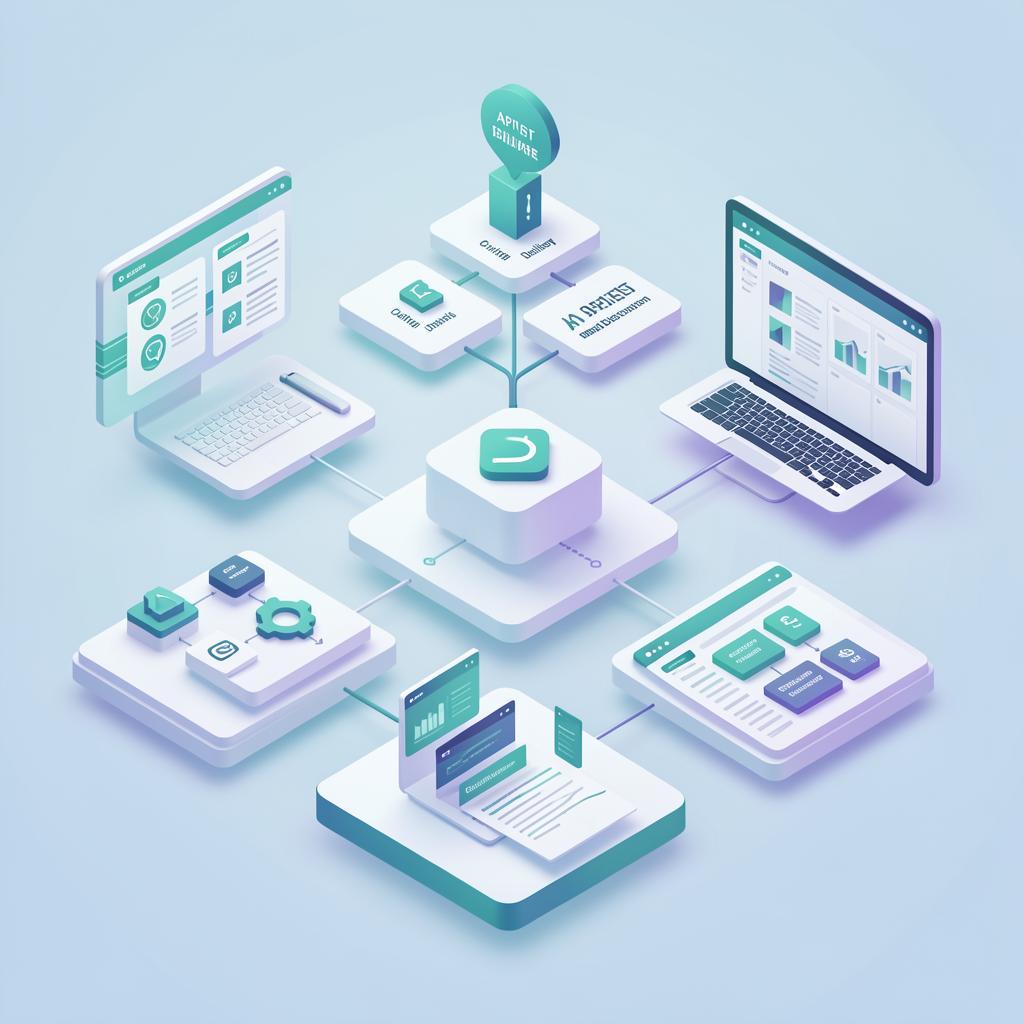
Understanding headless CMS architecture helps you plan your implementation effectively.Content Modeling Layer
Content modeling defines the structure of your content types. Unlike traditional CMS where content is often organized around pages, headless CMS structures content around reusable components and content types. For example, instead of creating a “Product Page” template, you define content types for Product, Review, FAQ, and Feature, then compose them in any combination on the frontend.API Layer
The API layer exposes your content to frontend applications and other consumers. Modern headless CMS platforms provide both REST and GraphQL APIs. GraphQL is particularly valuable because it allows frontend developers to request exactly the data they need in a single query, reducing over-fetching and improving performance.Frontend Layer
The frontend layer consumes content from the API and renders it for users. This can be built with any technology: React/Next.js, Vue/Nuxt, Svelte/SvelteKit, Astro, or even native mobile frameworks. The key advantage is that the frontend can be changed, redesigned, or replaced without affecting the content layer.CDN and Caching
Most headless CMS platforms use global CDNs to deliver content with low latency worldwide. Caching strategies include CDN-level caching for published content, application-level caching for dynamic content, and ISR (Incremental Static Regeneration) for pages that need to be updated periodically without full rebuilds.Database Layer
The database stores all content, media assets, and metadata. In SaaS headless CMS platforms, the database is managed by the provider. In self-hosted solutions like Strapi, you choose and manage the database (typically PostgreSQL or MySQL).Content Modeling Best Practices
Content modeling is the foundation of a successful headless CMS implementation. Good content models make content reusable, consistent, and easy to manage.Design for Reusability
Structure content as modular components that can be reused across different contexts. Instead of embedding an author bio within an article, create a separate Author content type that can be referenced anywhere. Instead of hardcoding a call-to-action, create a CTA component with configurable text, link, and style.Define Clear Content Types
Create content types for each distinct kind of content in your application. Common content types include pages (home, about, contact), articles and blog posts, products and product categories, authors and team members, testimonials and reviews, and navigation items and menus.Use Relationships Wisely
Define relationships between content types to create rich, connected content structures. A Product might reference multiple Images, Reviews, and related Products. An Article might reference an Author, Category, and related Articles. Use one-to-many and many-to-many relationships appropriately.Plan for Localization
If you serve multiple markets, plan for localization from the start. Most headless CMS platforms support field-level localization, allowing you to translate specific fields rather than duplicating entire content entries. Plan which fields need localization (titles, body text) and which are universal (images, specifications).Validation and Workflows
Set up field validation rules to ensure content quality (required fields, character limits, format validation). Configure content workflows with review and approval stages, scheduled publishing, and role-based permissions to control who can create, edit, and publish content.Headless CMS and Frontend Frameworks
The choice of frontend framework significantly impacts your site’s performance, developer experience, and content delivery capabilities.Next.js (React)
Next.js is the most popular framework for headless CMS implementations in the US market. It supports three rendering strategies: Static Site Generation (SSG) for content that does not change frequently, Server-Side Rendering (SSR) for dynamic or personalized content, and Incremental Static Regeneration (ISR) for content that needs periodic updates. Next.js pairs well with virtually all headless CMS platforms and has excellent SEO capabilities.Nuxt.js (Vue)
Nuxt.js provides similar capabilities to Next.js for Vue.js developers. It offers SSG, SSR, and hybrid rendering modes, an intuitive file-based routing system, automatic imports and code splitting, and a growing ecosystem of headless CMS modules. Nuxt is an excellent choice for teams with Vue.js expertise.Astro
Astro is a newer framework optimized for content-heavy websites. It uses “islands architecture” where interactive components are loaded only where needed, shipping zero JavaScript by default. This results in extremely fast page loads. Astro supports multiple frontend frameworks (React, Vue, Svelte) within a single project and is ideal for blogs, documentation sites, and marketing websites.Gatsby
Gatsby is a static site generator that excels at building fast, SEO-optimized websites. It downloads all content at build time and generates static HTML pages. While Gatsby has seen declining adoption with the rise of Next.js and Astro, it remains a solid choice for content-heavy sites that do not require dynamic content.Remix
Remix is a full-stack React framework that emphasizes web standards and progressive enhancement. It provides excellent performance through server-side rendering and smart data loading strategies. Remix is a good choice when you need a mix of static and dynamic content with a React-based frontend.Headless CMS for E-Commerce
Headless CMS is increasingly used in e-commerce to create rich, content-driven shopping experiences that traditional commerce platforms struggle to deliver.Product Content Management
A headless CMS excels at managing the rich content that surrounds products: detailed descriptions, comparison guides, how-to articles, video content, user-generated content, and SEO-optimized category pages. This content-driven approach to e-commerce improves search visibility, educates buyers, and drives higher conversion rates.Headless Commerce Stack
A modern headless commerce stack typically includes a headless CMS for content management, a commerce engine (Shopify Storefront API, BigCommerce, Swell, Commerce.js) for product data, pricing, and transactions, a frontend framework (Next.js) for the shopping experience, and a search engine (Algolia, Elasticsearch) for fast product search. This architecture gives you the best of both worlds: rich content management and robust commerce functionality.Localization for Global E-Commerce
Headless CMS platforms with strong localization support enable global e-commerce operations. Manage product content in multiple languages, adapt marketing content for regional markets, maintain consistent branding across regions, and deliver localized experiences through a single content repository.Headless CMS for Marketing Teams
One of the historical criticisms of headless CMS is that it prioritizes developers over marketers. Modern platforms have addressed this gap significantly.Visual Editing
Platforms like Storyblok, Sanity, and Contentful now offer visual editing capabilities that allow marketers to see how content will look as they create it. Visual editors render content in the context of the actual frontend design, bridging the gap between the CMS interface and the published experience.Content Preview
Preview functionality allows marketers to view content before it is published. Draft previews, scheduled content previews, and device-specific previews help marketing teams ensure content looks correct across all contexts before going live.Content Scheduling
Built-in scheduling capabilities allow marketers to plan content publication in advance. Schedule blog posts, product launches, promotional banners, and campaign landing pages to go live at specific times without developer involvement.Content Workflow and Approvals
Enterprise headless CMS platforms support multi-stage content workflows with draft, review, approve, and publish stages. Role-based permissions ensure that content goes through the appropriate review process before publication, maintaining quality and brand consistency.Headless CMS and SEO
SEO is a common concern with headless CMS, but when implemented correctly, headless architectures can actually improve search performance.SSR and SSG for SEO
Search engines need to be able to crawl and render your content. Server-side rendering (SSR) and static site generation (SSG) ensure that search engines receive fully rendered HTML. Next.js and Nuxt.js make SSR and SSG straightforward, providing the same SEO capabilities as traditional server-rendered CMS platforms.Dynamic Metadata
Generate SEO metadata (title tags, meta descriptions, Open Graph tags, structured data) dynamically from your CMS content. Most headless CMS platforms allow you to define SEO fields on every content type, and your frontend framework can use this data to generate appropriate HTML head elements.Sitemaps and Structured Data
Generate XML sitemaps automatically from your CMS content. Implement structured data (JSON-LD) for rich snippets in search results. Most headless CMS platforms provide APIs that make it easy to generate sitemaps and structured data programmatically.Performance Benefits for SEO
Core Web Vitals (LCP, FID, CLS) are Google ranking factors. Headless CMS combined with modern frameworks delivers exceptional Core Web Vitals scores through optimized rendering, CDN-delivered static assets, minimal JavaScript, and optimized image delivery. Fast-loading pages rank better and provide better user experiences.Migrating from Traditional CMS to Headless
Migrating from a traditional CMS (typically WordPress) to a headless CMS is a significant project that requires careful planning.Migration Process
Content Audit: Review all existing content and identify what to keep, update, archive, or delete. This is an opportunity to improve content quality and remove outdated material. Content Modeling: Design your new content model in the headless CMS. Map existing content types to the new structure, which often requires restructuring content from page-based to component-based models. Content Migration: Move content from the old CMS to the new one. For large sites, this typically involves custom scripts that extract content via API or database export, transform it to match the new content model, and import it into the headless CMS. Frontend Development: Build the new frontend using your chosen framework. This is typically the most time-consuming phase of migration, requiring 2-6 months depending on complexity. Testing and Launch: Thoroughly test the new site, set up redirects from old URLs, verify SEO metadata, and conduct load testing before launching.Common Migration Challenges
Content restructuring (moving from page-based to component-based content), URL management (maintaining SEO rankings through proper redirects), plugin functionality replication (replacing WordPress plugin features with custom implementations), team training (marketing teams learning a new CMS interface), and timeline management (migration typically takes 3-6 months).Security and Performance
Headless CMS architectures offer inherent security and performance advantages.API Security
Secure your CMS APIs with authentication (API keys, OAuth tokens), authorization (role-based access control), rate limiting to prevent abuse, HTTPS encryption for all API communication, and IP whitelisting for administrative access.CDN and Caching Strategy
Leverage CDNs for global content delivery with low latency. Implement multi-layer caching: CDN caching for static content, application caching (Redis) for dynamic queries, and browser caching for assets. Most SaaS headless CMS platforms include built-in CDN delivery.DDoS Protection
Protect your CMS and frontend infrastructure from distributed denial-of-service attacks. Use CDN-level DDoS protection (Cloudflare, AWS Shield), implement rate limiting and bot detection, and monitor traffic patterns for anomalies.Headless CMS Costs
Understanding the full cost picture helps you budget appropriately.Platform Pricing
Headless CMS platform costs range from free (open-source, self-hosted) to $10,000+ per month for enterprise plans. Key pricing factors include content volume (number of entries and assets), API requests, user seats, localization requirements, and support level. Most platforms offer tiered pricing based on these factors.Development Costs
The frontend development cost is often the largest expense in a headless CMS project. Budget $15,000-50,000 for a marketing website, $30,000-100,000 for an e-commerce site, and $75,000-250,000+ for a complex web application. These costs vary based on design complexity, feature requirements, and the development team’s rates.Ongoing Maintenance
Budget for ongoing costs including CMS platform subscription ($50-5,000+/month), hosting and infrastructure ($20-500+/month), developer retainer for updates and support ($2,000-10,000+/month), and content management and marketing operations. Total ongoing costs typically range from $3,000-20,000+ per month depending on scale.Development Workflow
A well-structured development workflow ensures efficient collaboration between developers, designers, and content editors.Local Development
Set up local development environments that mirror production. Use environment variables for CMS API endpoints and access tokens. Most headless CMS platforms provide APIs that work seamlessly in local development, allowing developers to build and test without affecting production content.Staging Environment
Maintain a staging environment that mirrors production for testing content changes, previewing new features, and conducting quality assurance. Sync staging content with production periodically to test with realistic data.Content Preview
Implement draft content preview that shows editors how their changes will look before publishing. This typically involves a preview API endpoint that serves draft content and a frontend preview route that renders it.Deployment Pipeline
Automate deployments with CI/CD pipelines. Separate content deployments (publishing content in the CMS) from code deployments (pushing frontend changes) to allow independent updates. Use feature flags for gradual rollouts of new functionality.Headless CMS Trends in 2026
Several trends are shaping the future of headless content management.AI-Powered Content
AI is being integrated into headless CMS platforms for automated content generation (AI writing assistants), intelligent content recommendations, automatic content tagging and categorization, translation and localization assistance, and content optimization suggestions for SEO and engagement.Visual Editing Evolution
Visual editing capabilities are becoming more sophisticated, with real-time collaboration (multiple editors working simultaneously), drag-and-drop page building within headless architectures, inline editing directly on the live preview, and AI-assisted layout and design suggestions.Personalization at Scale
Headless CMS platforms are adding personalization capabilities that leverage the API-first architecture to deliver personalized content based on user behavior, preferences, and context. This includes A/B testing content variants, dynamic content blocks, and audience-based content delivery.Edge Content Delivery
Content delivery is moving closer to users through edge computing. Platforms are deploying content APIs at the edge, reducing latency to single-digit milliseconds globally. This trend enables real-time personalization and dynamic content delivery at scale.Frequently Asked Questions
What is a headless CMS?
A headless CMS is a content management system that provides a backend for creating and managing content, delivered through APIs without a built-in frontend. This allows developers to use any frontend technology to display content across websites, apps, and other digital channels.
What is the difference between headless CMS and traditional CMS?
A traditional CMS couples content management with frontend presentation, providing built-in themes and templates. A headless CMS decouples the backend from the frontend, offering content through APIs and letting developers choose any frontend framework.
What are the best headless CMS platforms?
Top platforms include Contentful (enterprise API-first), Strapi (open-source), Sanity (real-time collaborative), ButterCMS (developer-friendly), Contentstack (enterprise headless), Storyblok (visual editing), and Ghost (publishing-focused).
Is headless CMS good for SEO?
Yes, when paired with frameworks that support SSR or SSG like Next.js, Nuxt, or Astro, headless CMS can deliver excellent SEO performance with fast Core Web Vitals scores and proper content rendering for search engines.
How much does a headless CMS cost?
Costs vary: open-source options like Strapi are free (self-hosted), mid-range SaaS platforms cost $50-500/month, and enterprise platforms cost $1,000-10,000+/month. Factor in $10,000-100,000+ for frontend development.
Can non-technical users use a headless CMS?
Modern headless CMS platforms offer visual editors, intuitive interfaces, and preview functionality that make content creation accessible to non-technical team members. Storyblok, Contentful, and Sanity lead in usability.
When should I choose a headless CMS over WordPress?
Choose headless when you need multi-channel delivery, custom frontend with modern frameworks, high performance and scalability, developer flexibility, or an omnichannel strategy. WordPress is better for simple sites with limited dev resources.
What is headless commerce?
Headless commerce separates the frontend shopping experience from the backend commerce engine. Combined with a headless CMS for content, it enables personalized shopping experiences, faster performance, and content-rich product pages.
How do I migrate from WordPress to a headless CMS?
Migration involves content audit and cleanup, content modeling, content migration via scripts or API, building the new frontend, setting up redirects, and thorough testing. Timeline is typically 2-6 months depending on content volume and complexity.
What frontend frameworks work with headless CMS?
All modern frameworks work through APIs. Popular pairings include Next.js (React), Nuxt.js (Vue), Gatsby (React, SSG), Astro (multi-framework, content-focused), and Remix (React, full-stack).
